Lysto's Community-Owned Playtest recruitment method unlocks all our platforms' great features for usage with your own players. This allows studios to test with players that are already familiar with the studio's work. The following guide will walk you through the process of adding players and ordering a Community-Owned Playtest on the platform.
Ordering a Community-Owned Playtest
On the 'Players' tab when ordering a Playtest, select Community-Owned Playtest as your player recruitment method.
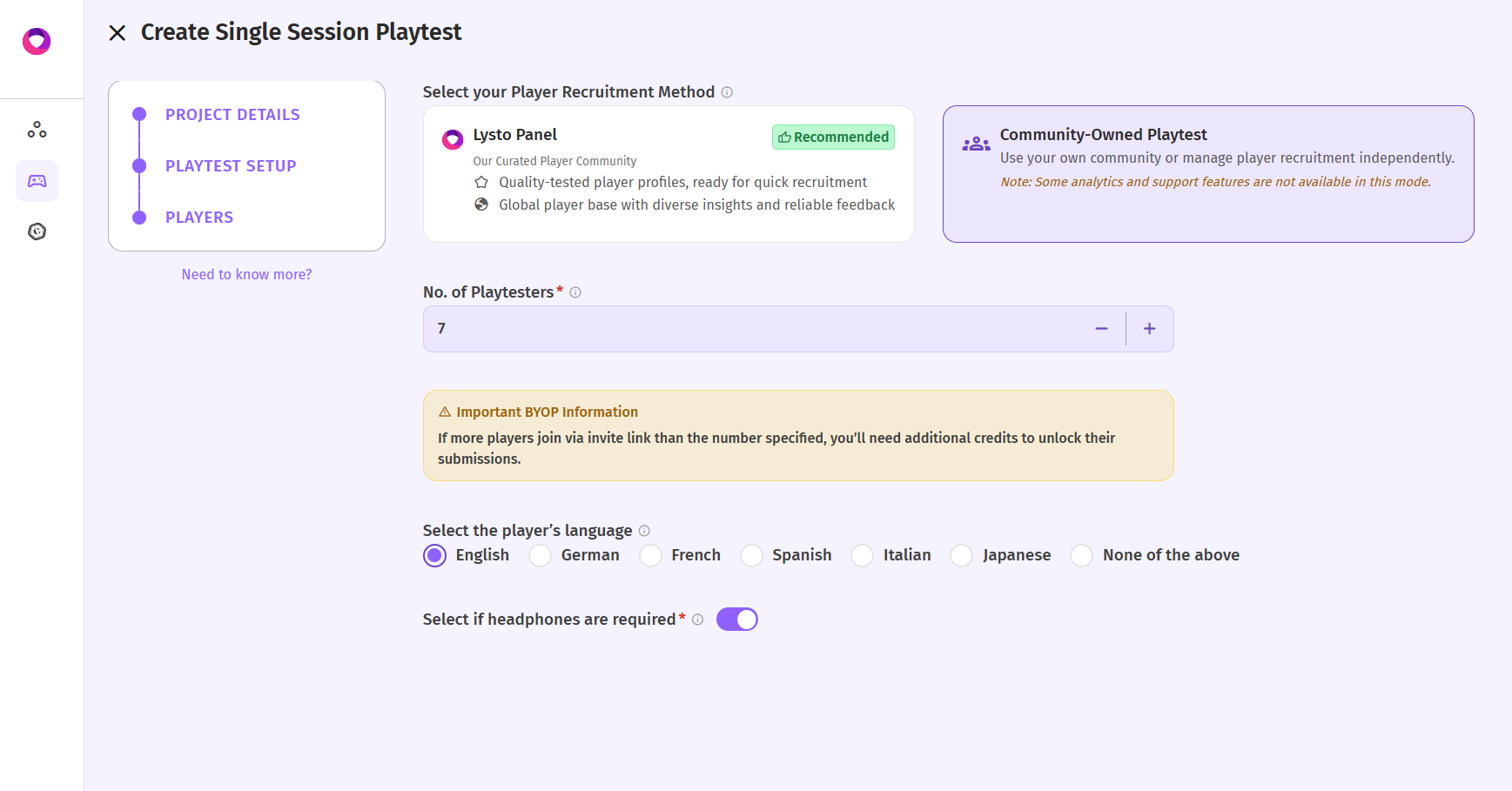
What You Are Responsible For When using your own players, you'll manage certain aspects of the playtest:
Providing incentives – You handle any rewards or payments for participating players
Player communication – You'll be responsible for sharing the invite link(s) we'll provide you with, and any other invite emails, or follow-ups.
Player management – You are responsible for ensuring players complete the playtest
Important Note: Videos will not be reviewed for quality. Make sure to communicate clear expectations to your players before they start.
By selecting this option, you have full control over your player panel while still benefiting from Lysto's playtesting platform.
Was this article helpful?
That’s Great!
Thank you for your feedback
Sorry! We couldn't be helpful
Thank you for your feedback
Feedback sent
We appreciate your effort and will try to fix the article